Create a New Activity
Start a project, issue, ticket, standard-work activity or other governed work item from scratch.
Describe the problem, objective or activity in plain language. Presto AI helps architect the work, structure the action plan around PDCA, propose timing and turn the result directly into accountable execution.
AI-Assisted PDCA is available from the Free plan. No credit card required.
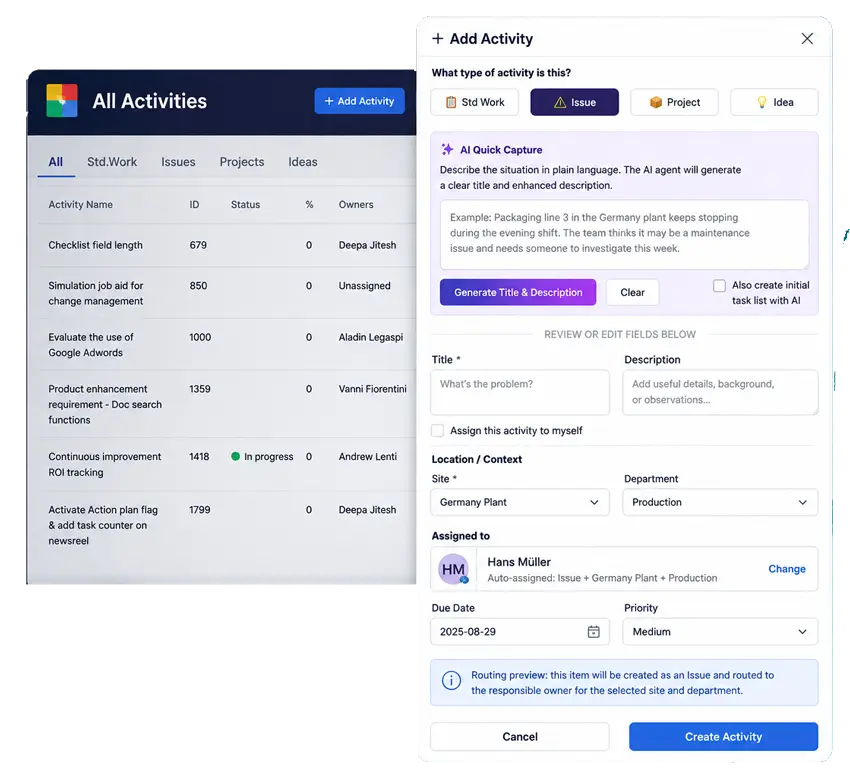
Don't copy an AI answer into your project software. Build the project with AI inside the system where it will be executed.
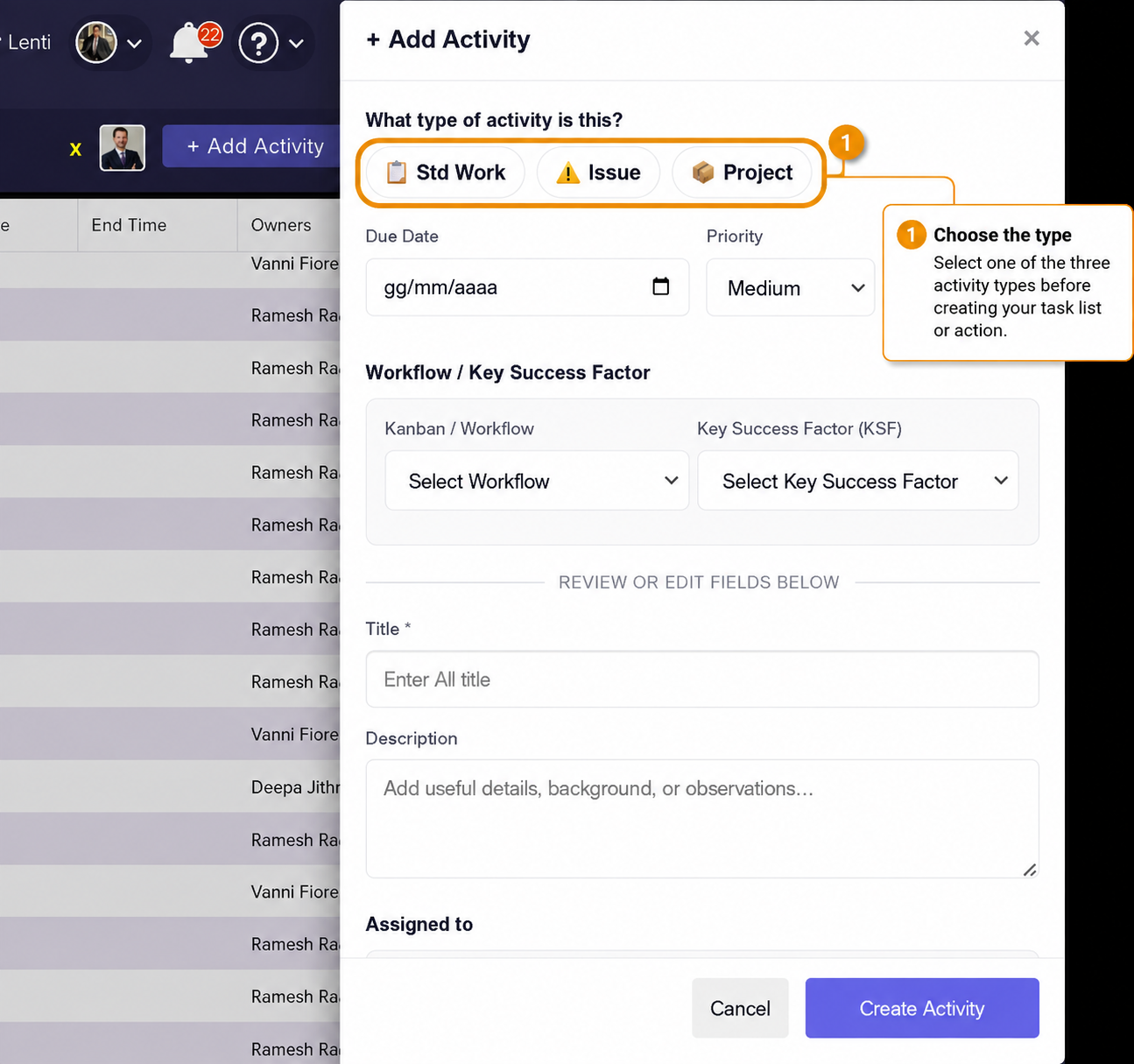
Use AI Quick Capture when creating new work, inside an existing activity or directly within a checklist. The assistant works at the level where structure is needed.
Start a project, issue, ticket, standard-work activity or other governed work item from scratch.
Add or improve the task checklist inside work that is already underway.
Use AI deeper in the checklist when an individual task or milestone needs more structure.
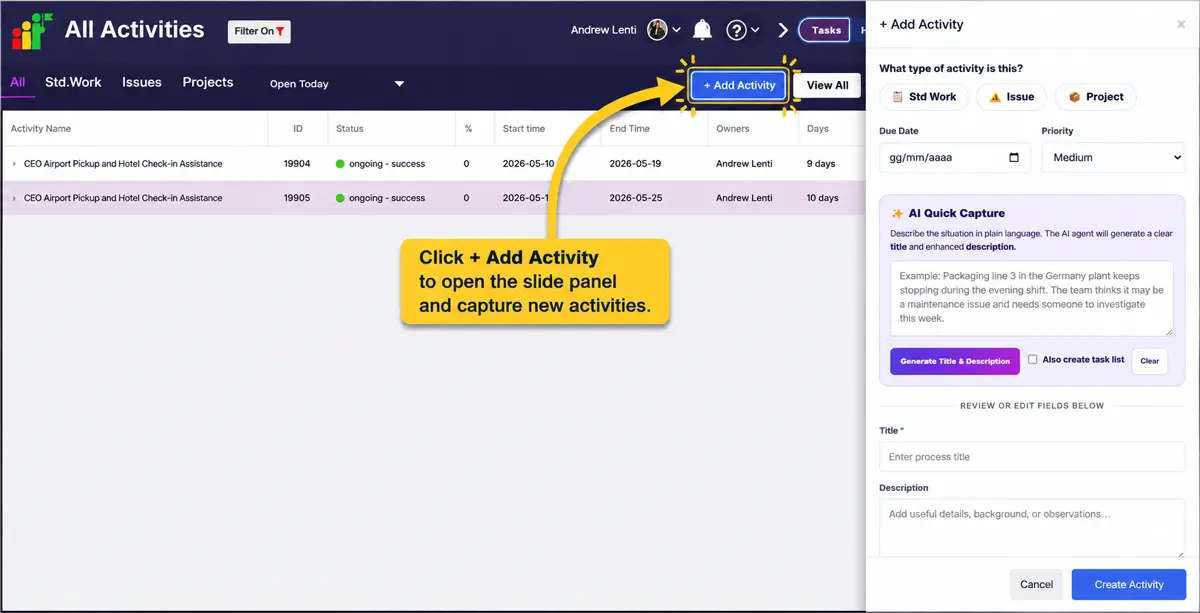
Give Presto the problem statement, objective or activity in normal language. The AI uses the context you select to help build a stronger starting point.
Clear activity titleTurn rough input into a concise, usable title.
Enhanced descriptionStructure the background and purpose more clearly.
Detailed action planCreate an editable set of tasks designed around the activity.
Recommended timingPropose task dates against the expected completion date.
PDCA classificationApply Plan, Do, Check and Act logic to the generated tasks.
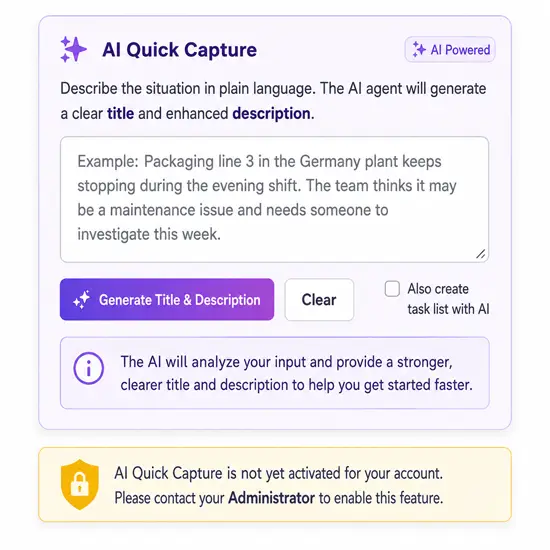
A generic AI can give you suggestions. Presto can turn those suggestions into structured work aligned to the improvement cycle your managers are expected to follow.
Frame the problem, investigate the situation and establish the approach.
Execute the actions required to test and implement the agreed approach.
Validate the result and determine whether the intervention worked.
Standardize what worked, adjust where needed and sustain the improvement.
Give Presto the expected completion date and the AI can help architect individual task timing around the target. Managers begin with a sequenced plan instead of a blank checklist.
Illustrative example below. Actual task count and timing vary according to the activity and context selected by the user.Clarify problem & evidencePlan · Sep 4
Agree approach & ownersPlan · Sep 7
Execute improvement actionsDo · Sep 13
Validate expected resultCheck · Sep 20
Standardize or adjustAct · Sep 26
The generated structure is a starting point, not a locked answer. Review it, edit it and apply the judgment that only your team has about the work.
Once the user accepts the proposal, it becomes real governed work inside Presto. It can then be assigned, tracked, updated, reported and managed through the same operating system.
Describe what needs to happen. Let Presto help you structure the first plan.
Ask AI for recommendations
Copy the response elsewhere
Rebuild tasks manually
Add dates and ownership
Track execution in another tool
Describe the situation
Generate structured work
Apply PDCA logic and timing
Review and edit
Execute immediately inside Presto